How to Clean Your Charging Port: Easy Ways to Optimize Charging
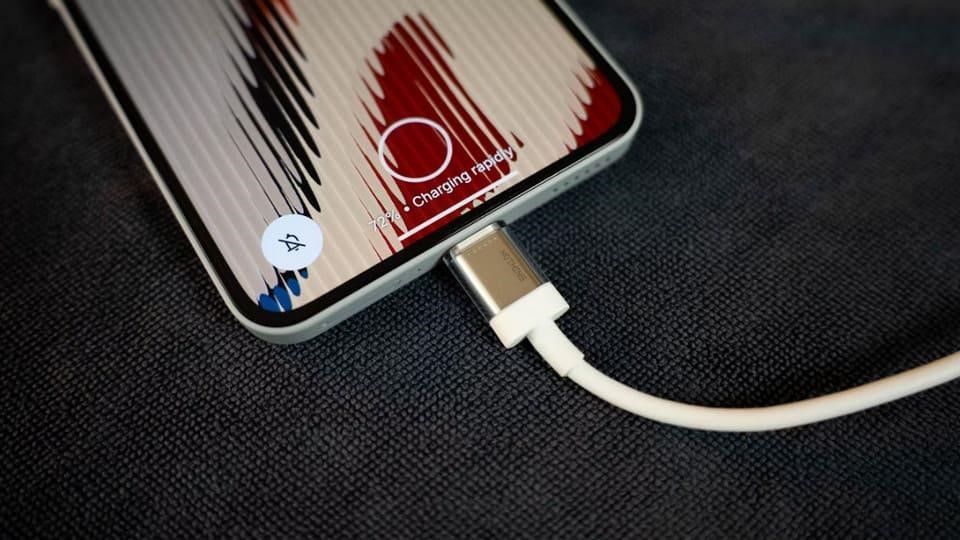
A charging port is a mandatory component of all mobile phones, tablets, and any other portable electronic devices that have the capability of being charged. Through the charging port, users get to plug the charging cables into the device. In the process of using devices, the charging ports tend to collect dirt, dust, moisture, and other debris that affects the charging process. There are ways to learn how to clean charging port that will be helpful for maintaining the performance of the devices and avoiding unnecessary charging issues. It is also vital to know how to get liquid out of the charging port to avoid possible damage to the components due to moisture.
Identify Reasons for Accumulation of Debris in the Charging Port
Charging ports come into contact with various environmental factors. Putting your smartphone in your pocket, handbag, or backpack means that it will be exposed to dust and strands of fabric that may end up in its charging ports. Consequently, this leads to buildup of particles inside the charging port making it hard for your charger to connect with your device. In order to ensure that such problems do not arise, there are a number of common causes that you should be aware of. You should always avoid exposing your phone to dusty environments.
The Significance of Cleaning Your Charging Port Holes
Understanding how to clean your charging port holes is vital. When the charging port is free from any particles, the charging cables can make an effective connection while delivering electricity effectively. Cleaning will further help avoid any connection problems and ensure that users do not end up replacing the cables or repairing them. However, cleaning must always be done with care since charging ports have fragile electric components which can get damaged using certain methods and tools.
Have the Proper Tools Ready for Safe Cleaning
Prior to cleaning the charging port, one needs to have the proper materials ready and also prepare the phone appropriately. First, turn off the device and ensure that there are no charging cords attached to the device. With the help of the flashlight, you can view any dirt particles and lint that may be present in the charging port. You should clean the loose dirt particles using a brush that is dry and soft and used to clean electrical gadgets. Do not use any metallic needles or pins as they may damage the electrical circuits.
Steps for Cleaning a Charging Port
Below are some steps on how to clean the charging port:
Turn off the device: Make sure that the smartphone is off before carrying out the process of cleaning.
Observe the port opening: Use a flashlight to determine if there is any debris or particles present in the port.
Port opening cleaning: Brush the port opening very carefully with a dry electronics brush.
No excess force: Do not force any object into the connector and scrap the contacts.
Ensure there is no debris: Make sure the port is free from any debris before connecting the charging cable back.
Nevertheless, in case there are debris present in the port, it would be better to consult the professionals.
How to Get Liquid out of Charging Port Safely
The presence of moisture in a charging port might lead to liquid-detection alarms and make it impossible to charge your gadget normally. In case you are wondering about how to get liquid out of charging port holes, the safest way to do so is to unplug your charging cable and let it dry out naturally. Put the gadget upside down with its port hole facing downwards and gently knock it on your palm in order for some moisture to drain away. It would be wise to put it somewhere dry and ventilated and wait before using it again for charging. It is not advisable to use such things as tissues, cotton swabs, or any other foreign objects in the port hole.
Prevent Future Charging Port Problems
Some preventative measures may reduce the chances of future occurrences of charging port problems. It is important to ensure that the phone is stored in a clean pocket or cover when it is not being used. Avoid the usage of the phone near water, dust, or moist areas. Pull out the cables from the phone delicately and not forcefully. Pay attention to the charging port to see if there is any dirt in it and then attend to it through proper methods of cleaning.
Final Analysis
The maintenance of the charging port of smartphones is an extremely crucial process. This process involves removing dust, lint, and moisture that may affect electric connections, causing problems while charging. Through the use of proper cleaning agents and the application of the correct methods, and letting the wet port air dry, users will keep their devices safe from any avoidable damages. It is also necessary for users to know how to clean charging port openings and how to get liquids out of charging port regions.